
 Phone:
Best Cloud Migration Services for SMBs
Moving servers and business data to the cloud can feel like changing the engine while the car is moving. The right partner lowers that risk and keeps your team focused on customers. Here are the best cloud migration services for SMBs, with a clear first choice for businesses in New York, New Jersey, and Connecticut.
1. AdvancedTechCo, Managed cloud migration for regional SMBs
AdvancedTechCo provides cloud migration services for small and medium businesses across New York, New Jersey, and Connecticut. We combine cloud migration with managed IT support, security, onsite help, backup, and VoIP services.

That local SMB focus is the main reason AdvancedTechCo takes the first spot. Many migration firms describe broader employee ranges that often point to larger organizations. AdvancedTechCo speaks directly to the business owner or IT manager who needs a safe move without building a large internal IT team.
We start with discovery. That means reviewing servers, apps, data, user needs, network links, licensing, backup plans, and business deadlines. Then we map each workload to a sensible path. One app may need a rehost, or lift and shift. Another may fit a hosted software product. A legacy system may need to stay on site for now.
Our managed approach also covers the work after cut-over. We can monitor the new environment, support users, review security controls, and help manage cloud costs. That matters when an employee cannot reach a file share on Monday morning or a line-of-business app slows down during a busy sales day.
Businesses that need a wider view of cloud planning can also review our cloud services for New York businesses. It explains how cloud support can connect with remote work, security, compliance, and cost control.
The limitation is geographic focus. Companies outside the NY, NJ, and CT area may need a provider with a broader delivery model.
2. Reality Tech, Azure-focused migration for Microsoft environments
Reality Tech is a strong fit for cloud migration services built around Microsoft technologies and Azure. Its method covers assessment, architecture, and migration execution.
This choice makes sense when your business relies on Microsoft 365, SharePoint, Azure, Power Platform, or related systems. A Microsoft-centered review can catch issues that a general server move may miss. For example, a team may need to think about identity, permissions, collaboration sites, and how users work inside Microsoft tools.
Reality Tech also notes work across governance, automation, security, and post-migration optimization. Those pieces matter because a cloud project is more than copying files to a new location. Someone must decide who can access each system, how changes get approved, and how the environment is watched after launch.
For an SMB, the best use case is a Microsoft-heavy environment with enough complexity to need formal planning. A firm with a few simple cloud apps may not need this level of Microsoft specialization.
Cloud migration costs vary with data volume, app dependencies, downtime limits, security needs, and support after launch. Ask for a written scope that separates assessment, migration work, licensing, and ongoing support.
Microsoft environments also need a clear test plan. Test sign-in first. Then test shared files, email flows, business apps, printing, and remote access. A migration is ready for cut-over only when staff can complete the work they do each day.
Reality Tech is best when Azure and Microsoft systems sit at the center of the project. It is less direct for a business that wants a broad multi-cloud plan or a local managed IT relationship.
3. N-iX, Migration paired with software modernization
N-iX combines cloud migration services with software engineering and product modernization. Its cloud coverage includes AWS, Microsoft Azure, and Google Cloud.
This model fits an organization whose migration project is tied to a larger software change. Perhaps an old monolith needs a new design. Maybe a data warehouse must support modern analytics. Or an aging Unix or Windows workload needs a new home before its current technology reaches end of life.
N-iX describes a process that starts with an assessment of infrastructure, applications, dependencies, risks, and business goals. It then designs the target environment and runs a pilot migration before scaling the work. That pilot is useful for SMBs with one difficult app, because it gives the team a chance to test the plan before moving every related system.
The provider also describes three common treatment paths. A rehost moves an app with few changes. A replatform shifts it to a managed service with targeted changes. A refactor changes the code or architecture to better use cloud-native services. The last option can support better scale, but it takes more time and needs strong product ownership.
N-iX states that it supports midsize businesses and large enterprises. That makes it a better match for an SMB with a serious product engineering need than for a small office seeking a basic file and server move.
Before choosing this kind of partner, decide if you need migration only or a rebuild as well. Mixing both scopes can raise the budget and extend the cut-over date.
N-iX is a serious option when the cloud move must support a longer software roadmap. For a straightforward SMB migration, its wider engineering model may be more than you need.
4. Insighture, Collaborative AWS migration for cloud-native initiatives
Insighture provides AWS-focused cloud migration services for organizations that want a close engineering partner.

This is a good match for a company with developers who want to stay involved. A collaborative model can help when the people who know the code must also make choices about architecture, testing, deployment, and day-to-day operations. The partner can bring cloud skill while the internal team keeps product context.
AWS supports a large set of services for compute, storage, databases, containers, security, and data work. A partner must narrow the choices to the needs of the workload. A small firm does not need a service for every possible use case.
For an AWS migration, the team may use application discovery to build an inventory. Server workloads can follow a rehost path. Databases may move through a database migration service. File data may move through a sync tool. The exact choice depends on the source system, target design, network speed, and downtime window.
Online transfer through a VPN can work well when the connection has enough capacity and the data set is manageable. An offline appliance may make more sense when the data set is large or the network link cannot meet the deadline. AWS Snowcone is an example of the offline approach, while larger data moves may need a different transfer plan.
Insighture’s limitation is scope. It is positioned around AWS and collaborative engineering, not around local managed IT support for a regional office. Confirm who handles employee support after the migration ends.
Choose Insighture when your team wants to build and operate cloud-native workloads on AWS. Choose a managed IT provider when the main pain is support for users and systems.
5. Rambunct, Usable AWS expertise for growing companies
Rambunct is an AWS-focused provider for growing companies that want senior cloud skill without the structure of a large consulting firm. Its stated work includes migration and modernization.
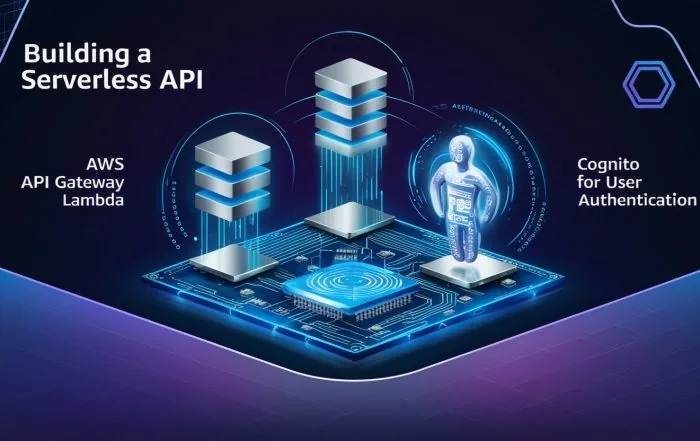
This profile suits a company that has outgrown a small server room but does not want a long enterprise program. A lean team can focus on the workloads that cause the most pain first. For example, it might move a customer portal before touching an old accounting system that still depends on local hardware.
AWS projects often need a decision for each workload. The seven common migration paths are retire, retain, rehost, replatform, refactor, repurchase, and relocate. Retire removes an app that no longer earns its keep. Retain keeps a workload in place for now. Repurchase replaces it with a software-as-a-service product. Relocate moves a workload with little or no code change.
Rehost is usually the quickest path, but it may carry old design choices into the cloud. Replatform takes more planning, yet it can move a database onto a managed service. Refactoring takes the most engineering effort, but it may fit an app that needs better scale or release speed.
Rambunct can fit a business that has an internal technical owner and needs AWS specialists for the hard parts. Ask who owns user support, backup checks, cost review, and security alerts after the project.
The caveat is that a specialist migration firm may not replace a full managed IT desk. If your staff needs help with laptops, identity, network access, or VoIP, add those needs to the vendor review.
Rambunct is a sensible pick for AWS migration with a focused technical scope. It is less suited to a business seeking one local partner for every IT task.
6. Perfsys, Direct AWS involvement for startups and SMBs
Perfsys targets startups and small to midsized businesses that want direct technical involvement with AWS migration services. Its service areas include cloud migration, architecture, security, serverless development, managed support, and cost optimization.
The smaller senior-engineer model can be useful when decisions need to move quickly. A startup may need an architecture review before a product launch. A growing company may need to replace a single server with an AWS design that can handle new demand. In both cases, the buyer should know which engineer will do the work and who remains available later.
Perfsys is also a reminder that specialist pricing does not always follow a simple rule. Broader multi-cloud coverage does not automatically mean higher rates.
A published rate is not a quote from Perfsys or a promise about any project. A buyer still needs a scope, estimate, and list of assumptions.
Ask for a cost model that includes data transfer, cloud usage, software licenses, testing time, backups, monitoring, and support. A migration can look cheap when only the consulting hours appear in the first estimate.
Perfsys is a good fit when AWS is the clear target and the client wants hands-on technical work. Its specialist rate may make it a poor match for a small project with little architectural risk.
7. Bespin Global, Multi-cloud complexity and continuous optimization
Bespin Global fits organizations with complex cloud estates, regional operations, or a need for ongoing optimization after migration.
This matters when cloud migration services are only the first part of the job. After cut-over, teams must watch resource use, review access, track backup status, respond to alerts, and remove waste. A cloud environment can grow quietly when test machines remain on, storage copies pile up, or a team chooses a larger resource than the workload needs.
Bespin Global is also suited to multi-cloud planning. A company may use AWS for one product and Azure or Google Cloud for another. That setup can make sense, but it adds work around identity, monitoring, cost reporting, data movement, and staff skills. A provider should explain why each workload belongs where it does.
A central migration dashboard can help when several workloads move at once. AWS Migration Hub is designed to show migration activity from related AWS services in one view. The broader lesson is simple: someone needs one record of owners, status, blockers, test results, and cut-over dates.
Bespin Global may be more provider than a small office needs. Ask if the proposed operating model matches your staff size and cloud spend. Continuous optimization only pays off when someone has time to act on the findings.
8. Cloudticity, Compliance-led migration for healthcare environments
Cloudticity is a strong option when healthcare rules and patient-data risk shape the migration. Its stated model covers design, migration, security, management, and optimization for healthcare cloud environments.
Healthcare buyers need more than a claim that a cloud is secure. They need to map data flows, set access rules, define audit records, test backup recovery, and assign responsibility between the provider and the customer. A migration plan should show where protected health information sits during each stage.
Security details are often hard to compare. Treat silence as a question. Ask about encryption, identity controls, logging, incident response, backup recovery, and compliance evidence.
Cloudticity’s healthcare focus gives it a clear use case. A medical group, health-tech firm, or other organization with regulated data may value that focus more than a general low-cost migration offer. A normal office file migration does not need the same specialist model.
| Buyer situation | Best fit in this shortlist | Question to ask first |
|---|---|---|
| Regional SMB needing migration and ongoing IT help | AdvancedTechCo | How will support work after cut-over? |
| Microsoft-heavy environment | Reality Tech | How will identity and permissions be tested? |
| Migration tied to software modernization | N-iX | Which code changes are in scope? |
| AWS product or cloud-native build | Insighture or Rambunct | Who owns the architecture after launch? |
| Healthcare or regulated patient data | Cloudticity | What evidence supports the compliance plan? |
Cloudticity is the clearest fit for a compliance-led healthcare project. For other SMBs, its specialist focus may add cost without solving the main problem.
How to compare cloud migration services
Start with the workload, not the vendor logo. Write down what must move, what can stay, and what must not fail during the change.
- Scope: List servers, databases, file shares, user accounts, apps, integrations, and remote access needs.
- Strategy: Assign a migration path to each workload. Do not force every system into lift and shift.
- Security: Ask how access, encryption, logging, backup, and incident response will work.
- Testing: Require a test migration, user acceptance checks, rollback plan, and cut-over owner.
- Cost: Separate project fees from cloud usage, licenses, transfer charges, support, and future optimization.
- Support: Confirm who handles tickets, alerts, patching, backup checks, and staff questions after launch.
A sound project usually follows this order: assessment, discovery, planning, design, pilot migration, testing, cut-over, and optimization. The order can change by workload, but skipping discovery creates avoidable surprises.
Common risks include hidden app dependencies, weak bandwidth, stale accounts, poor backup records, licensing problems, and downtime during a busy period. Reduce those risks with an inventory, dependency map, test run, communication plan, and rollback window.
Migration can also improve cost control, scale, performance, remote access, and resilience. It does not guarantee savings. A cloud bill grows when resources lack owners or when old systems move without cleanup. Review usage after launch and set a regular cost and security check.
For local companies that need migration plus broader support, our comparison of managed IT service providers in New York can help frame the wider buying decision. The right partner should support the business after the migration project is closed.
Staff capacity is another factor. If an internal IT team lacks cloud skills, decide if you need training, project support, or a long-term managed service. A recruiting resource may help organizations that plan to hire technical staff.
Frequently asked questions
What are cloud migration services?
Cloud migration services help move business apps, servers, databases, and data into a cloud environment. The work can include discovery, architecture, data transfer, testing, cut-over, security planning, and support after launch. Some providers also modernize code or replace local software with a cloud product.
How much do cloud migration services cost?
Cloud migration services have no single price because cost depends on data volume, app complexity, downtime limits, security needs, and support scope. Request a project estimate with cloud usage and license costs shown separately.
What is the safest cloud migration strategy for a small business?
The safest strategy depends on each workload, but a staged migration is usually easier to control than one large cut-over. Start with discovery, test a low-risk workload, confirm backups, and set a rollback plan. Rehost may suit a stable server, while a SaaS replacement or replatform may fit another app better.
How long does a cloud migration take?
Migration time depends on the number of workloads, data size, app links, testing needs, and downtime window. A small file or server move may be short, while a regulated database or legacy app needs more planning. A proper assessment should produce a schedule with milestones, owners, test dates, and a cut-over window.
How do I protect data during migration?
Protect data by using encryption, least-privilege access, verified backups, secure network links, audit logs, and a tested rollback plan. Check how data moves through temporary systems and transfer tools. Ask the provider who can view migration copies and when those copies will be deleted.
Conclusion
For SMBs in New York, New Jersey, and Connecticut, AdvancedTechCo is the most direct fit because we combine regional service with cloud migration, security, helpdesk support, and ongoing managed IT care. Start with a workload inventory and a readiness review. That gives us the facts needed to build a migration plan that protects uptime and helps your team focus on the business.

0 comment